


GreenLoop IT Solutions : Articles
How to login to Printix Cloud Printing
If you’re reading this, it’s probably because GreenLoop has deployed (or is deploying) the Printix managed cloud printing solution for your company.
This solution allows you to securely print from any computer with the agent (regardless of whether you’re in the same location).
It even allows some advanced features like:
- Cloud printing from mobile
- Private cloud printing for your personal/home printers
- Scan to cloud (for many common MFCs)
- Secure (in-person released) printing
Contact the GreenLoop team if you’re interested in any of these advanced features!
This document walks you through signing in to the Printix Client on your primary, company-issued work computer. This allows you to securely print to your company’s printers via the cloud (no need for direct connectivity or a VPN tunnel).
Determine if you’re already signed in
- Look for the Printix Client systray icon. It looks something like this, and may be a hidden icon:
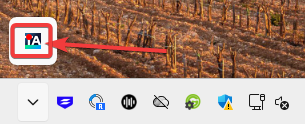
If you don’t see the icon at all, log out of your computer, and back in.
- Next determine the color of the dot overlaying the icon. If it is yellow or green, you’re good to go—you were signed in with SSO.
To Sign in Manually
If it’s red (like in the screenshot above), you need to sign in. Right-click and choose Sign in.
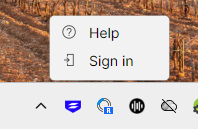
A web page will open, with Sign in options:

In most cases, you’ll want to “Sign in with Microsoft”. You should only need to “Sign in with email” if you were specifically instructed to.
After you’ve signed in, you should see the message below.
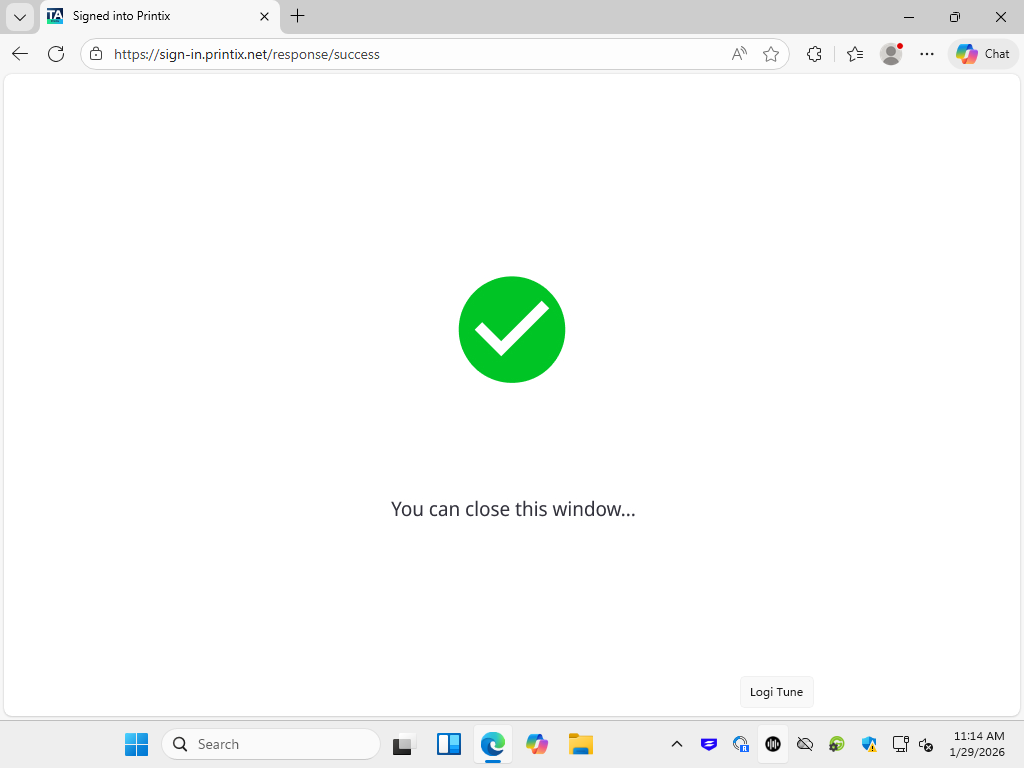
That’s it! Your printers will be automatically added by policy and show up in the “Print” dialog in apps (where you’re used to selecting a printer) when ready.
Typically, the new cloud-enabled printers will have the same names as your previous printers, with a 3-letter code added to the end (e.g. instead of “Office Printer” you’ll see something like “Office Printer GHT”.
Follow any further instructions you were provided in order to remove old printers or enable advanced features.
